
Founder & CEO, Devot AI
A multi-domain Data Scientist and Software Engineer specializing in NLP, Large Language Models, and scalable AI systems. Aviral leads Devot AI with a focus on building production-ready solutions that solve complex business challenges.
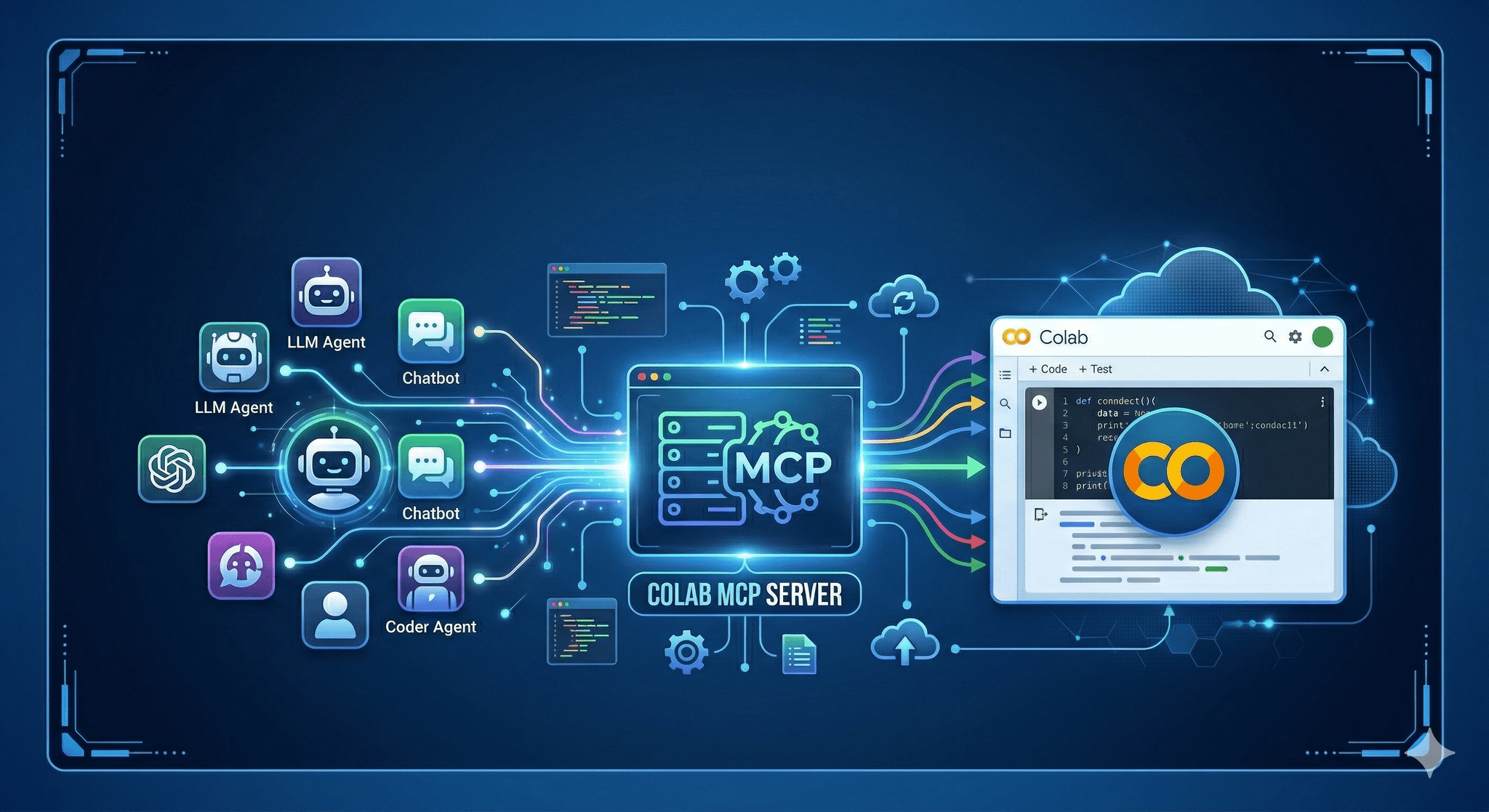
Bridge agent reasoning with live notebooks. The Colab MCP Server lets any compliant AI agent operate inside Google colab with scoped, auditable actions.
Executive Summary
Agent workflows keep stalling at the notebook boundary. This release introduces a minimal, guarded path for agents to run code, read data, and manage state in Google colab without hand wiring.
The design prioritizes safety and clarity. Commands are explicit. Failures are surfaced early. Recovery is planned, not improvised.
How agents execute cells, access files, and maintain context in a notebook environment
Where Colab’s session model pushes back and how to avoid common failures
A pragmatic setup flow that scales from solo notebooks to team use
Real examples with imperfect outcomes and recoveries
Introduction
You have a notebook that answers a real question. An agent can propose code, but someone still needs to run it, install dependencies, handle Drive prompts, and keep the session alive. By the third rerun, the thread is gone and the day is leaking time.
Announcing the Colab MCP Server: Connect Any AI Agent to Google Colab is about removing that drag. It gives agents defined doors into a Google colab runtime so they can execute work without freewheeling. It’s trending because teams are moving from demos to throughput, and the gaps around state, permissions, and reproducibility start to cost real hours.
This isn’t a push-button fantasy. It’s a quiet contract between agents and notebooks. Clear verbs. Predictable consequences.
How this behaves when a real notebook is under load
Colab sessions are ephemeral, bounded by idle timers and resource quotas. Files are local to the session unless you mount storage. Network paths can change. Users sometimes reorder cells. Any agent that treats this like a stable server will create chaos.
Concept diagram of the agent-to-notebook contract
The server exposes only what a human would recognize as safe, high-signal operations: run a cell with a clear payload, read or write a file within a defined workspace, check environment state, request a user approval when scope expands. That keeps blast radius small and decisions legible.
Boundaries show up fast. If the runtime restarts, kernels reset and cached variables vanish. If a user declines a permission prompt, the agent must back off or choose another path. If a cell takes too long, you need a timeout and a way to cancel cleanly.
Failure patterns repeat. Agents that blindly retry end up reinstalling packages in loops. Agents that write to transient paths lose artifacts. Agents that assume cell order break when a human edits the notebook. The server addresses this by surfacing state before action and by making every command idempotent where possible. Ask for environment facts, then act. Never assume the past.
Security is not a banner; it’s defaults. Commands are scoped. Mutations are gated. Sensitive actions require a human step-in. Logs are short, plain, and tied to the exact request that triggered them. That makes review quick when something goes sideways.
Setting it up without shooting yourself in the foot
Step-by-step flow from a cold Colab runtime to a connected agent
Start in a clean Google colab notebook. Keep the first cell dedicated to bootstrapping the server. This isolates import churn from your analysis cells and makes restarts predictable. If the runtime resets, rerunning one cell brings the server back.
Launch the server in-process. Keep the exposed commands minimal at first: execute code in a sandboxed cell, read specified files, write to a whitelisted directory, inspect the environment. Avoid filesystem wildcards and anything that shells out without explicit arguments.
Connect your agent via the protocol’s standard transport. If the agent runs inside the same notebook, use in-memory or local transport. If it runs elsewhere, use a secure channel that doesn’t assume fixed ports. Colab sessions can change addresses, and sleeping sessions drop listeners. Bake reconnection into the client.
Expect the first friction to come from permissions. Mounting storage usually asks for consent. External data pulls might require tokens. Don’t bury these in environment variables that expire quietly. When the agent encounters a missing permission, surface a clean, single-line prompt with the exact scope requested. If declined, return a structured error the agent can reason about.
Set operational limits early. Timeouts per command. A small concurrency cap. A queue that rejects overflows with a clear message rather than piling up ghost jobs. When you scale to more notebooks, choose simple naming for workspaces so artifacts don’t collide across sessions. State that matters should be written to a path that survives restarts or can be rebuilt quickly.
As you add capabilities, keep the verbs concrete. “RunCell”, “ReadFile”, “WriteFile”, “ListWorkspace”, “CheckPackages”. Resist catch-all commands. The more specific the verbs, the easier it is to audit and to teach the agent correct habits.
Examples and applications from the trenches
Exploration with intermittent restarts
An agent generates a set of data cleaning cells, executes them, and writes interim CSVs. Midway, the runtime idles out. On reconnect, the agent checks for expected files in the workspace, detects they’re missing, reinstalls required packages once, and resumes from the last confirmed artifact. The only lost work is the last cell’s outputs.
It still stumbles on plots when a package version shifts. The server nudges it to confirm versions before re-running visualization cells. Small nudge, big gain.
Team notebooks with shared storage
Two teammates use the same Colab document at different times. The agent writes models to a shared mount that requires consent each session. One teammate declines the mount. The agent receives a precise denial, switches to local workspace, and posts a message explaining the divergence. Later, when consent is granted, it merges artifacts by naming convention rather than timestamps.
There’s friction when a legacy path conflicts with a new policy. The server refuses the write, returns the safe path, and forces the agent to migrate. Annoying for a day, safer for the quarter.
Instructional notebooks with guardrails
Students prototype functions with the agent’s help. The server caps cell runtime and prevents writes outside the project folder. When a student asks the agent to install a heavy package for a simple task, the server suggests a lighter alternative and asks for confirmation. Some decline and wait longer. They remember next time.
Tables and comparisons
Differences show up fast between early users and operators who have shipped workflows before. Clarity helps everyone move faster.
Task Students/Beginners Experienced Practitioners Package installs Install on demand per cell, accept defaults Pin versions once, verify before runs File paths Write to current directory, assume persistence Write to scoped workspace with clear names Runtime resets Retry blindly, lose state Probe state, resume from last artifact Security prompts Click through or ignore Scope requests, log decisions Command design One command that does many things Small, explicit verbs with guardrails
FAQ
Does this require a specific Colab plan?
No. It runs in a standard Google colab runtime. Performance depends on the resources available in your session.
How are risky actions handled?
Commands are scoped. Mutations can require an approval step. If a request exceeds policy, it is declined with a clear reason.
What happens when the runtime restarts?
The server is relaunched by a single bootstrap cell. Agents are expected to probe state and resume from known artifacts.
Can it work outside notebooks?
Yes. The protocol is portable. This server targets Colab, but the pattern carries to other environments.
Do I need to expose a public port?
Not necessarily. Local transports work inside the runtime. External connections should use a secure, short-lived channel.
As agents gain access, accountability shifts to operators
Connecting agents to notebooks increases throughput and the chance of subtle mistakes. The Colab MCP Server makes intent explicit, but stewardship stays human. Your choices about verbs, scopes, and logs decide how recoverable a bad day becomes.
As usage grows, the work tilts from wiring to discipline. Keep the contract small and sharp. Verify state before acting. Prefer clarity over convenience. That’s how the link between agents and Google colab stays useful under pressure.