
Founder & CEO, Devot AI
A multi-domain Data Scientist and Software Engineer specializing in NLP, Large Language Models, and scalable AI systems. Aviral leads Devot AI with a focus on building production-ready solutions that solve complex business challenges.
From Prompt to Production: A Step-by-Step Guide to Coding with Composer 2
When you’re staring at a backlog and the clock is loud, Cursor Composer 2 can feel like a second set of hands. The question isn’t if it helps. It’s how to use it without creating debt you’ll pay for later.
Executive Summary
This guide shows how to get reliable code out of Cursor Composer 2 under real constraints. Not a demo. A path you can walk when the repo is imperfect and the requirements wobble.
Expect trade-offs. Smaller prompts ship faster. Larger changes need scaffolding, validation, and careful diffusion through a codebase.
Frame prompts that produce diffs you can review
Spot failure patterns before they become regressions
Iterate from a working sliver to production safely
Scale with boundaries that keep behavior predictable
Introduction
Picture a sprint where a small change ripples wider than planned. A new endpoint, a validation rule, a background task. You reach for Cursor Composer 2, you type a prompt, and suddenly a dozen files look reasonable. That’s the moment to slow down just enough to ship well.
From Prompt to Production: A Step-by-Step Guide to Coding with Composer 2 is about shaping those moments. Composer 2 is trending because it compresses the distance between intent and code. It’s becoming necessary because product surfaces keep growing while baseline quality expectations do not relax.
Used deliberately, Cursor Composer 2 accelerates small, reviewable changes and makes broader refactors less chaotic. Used carelessly, it can generate plausible mistakes at the speed of thought.
What Cursor Composer 2 really does inside a lived-in codebase
Composer 2 excels at local reasoning. It follows patterns it sees, aligns with nearby conventions, and proposes code that compiles and often runs. It struggles when the desired behavior lives across boundaries: code plus config, runtime environments, policies, and tacit team norms. Context windows are finite, naming is inconsistent in the wild, and specs shift mid-flight. Context windows, constraints, and drift
Boundaries show up fast. Multi-file changes can overfit to the subset of files in view. Generated tests can prove the code works while verifying the wrong thing. Comments and docs can lag behind changes and lock in yesterday’s assumptions.
Common failure patterns:
Spec drift: The code matches the first prompt but not the refined intent
Silent contract breaks: Internal APIs change, callers stay unchanged
Shallow mocks: Tests pass against mocks that do not reflect runtime behavior
Over-broad edits: Clean-up mixed with feature changes hides regression risk
The fix is not to prompt harder. It’s to reduce the surface area per step and make review the primary safety net. Ask for diffs, not rewrites. Keep behavior changes isolated. Let the tool explain its choices in plain text you can critique.
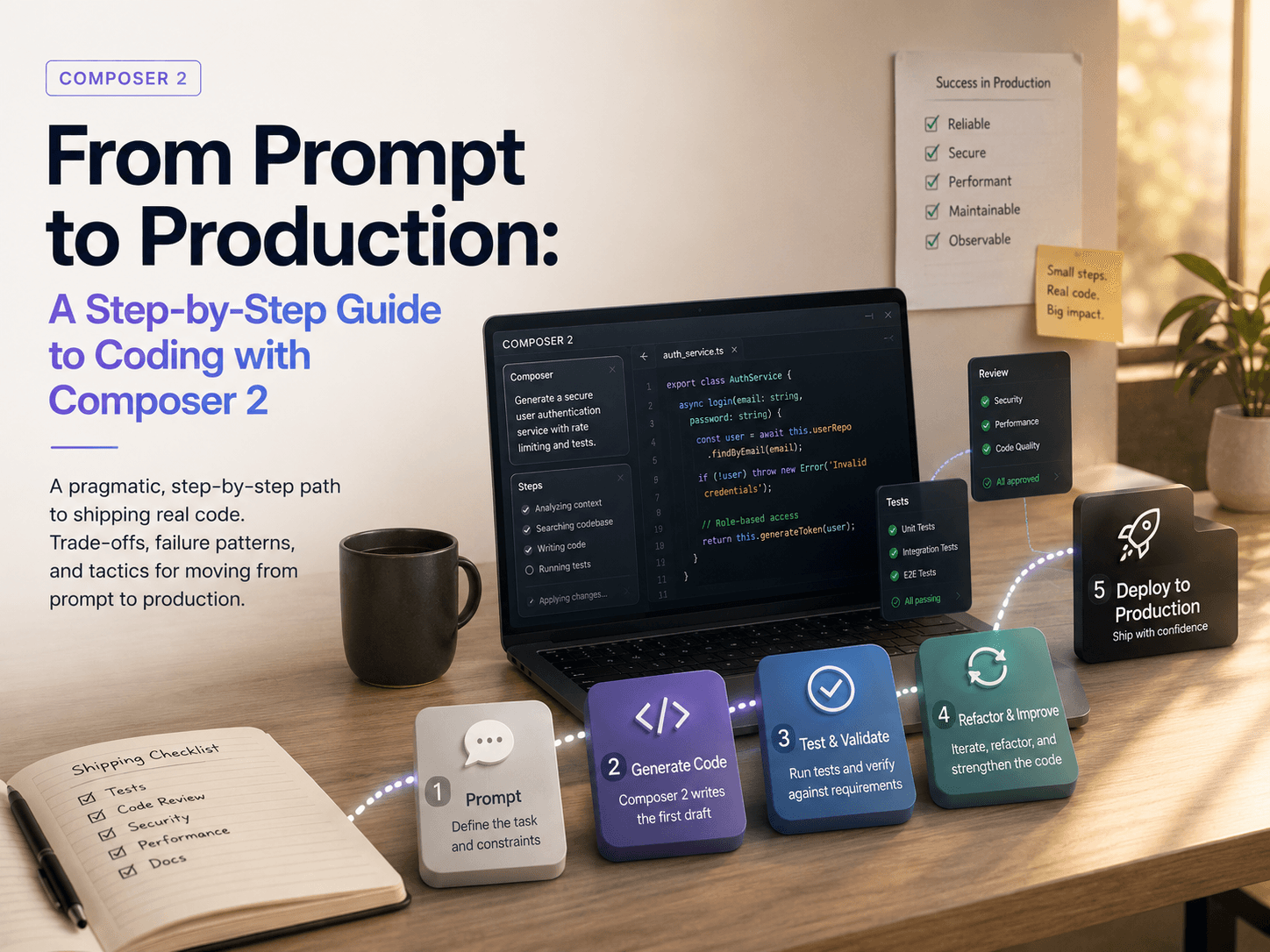
Prompt to production: the path that actually ships — ship path at a glance
Start with a thin slice. Request a single function, a single endpoint, or a single integration point. Specify inputs, outputs, and constraints the code must respect. Ask Composer 2 for a diff rather than a file replacement.
Run the build fast. Compile, run the smallest executable checks you have, and execute one or two real calls. Don’t expand scope until this step is green.
Iterate with explanation. When you ask for changes, require a short rationale. If the reasoning doesn’t line up with your system’s rules, stop and correct the prompt or shrink the task.
Guard contracts. Before touching callers, capture the current behavior in a minimal test. Let Composer 2 update the test only if you explicitly decide to change behavior.
Commit intentional chunks. Keep each commit focused on a single decision. If the tool mixes formatting or naming clean-up with functional changes, split them.
Scale by repeatable moves. Once a pattern works, apply it across the codebase in stages. Prefer several small pull requests over one sweeping change that is hard to reason about.
Where friction appears
Ambiguity in prompts yields code that looks consistent but behaves off by one or two critical rules. Make those rules explicit. Dependencies outside the editor’s view cause gaps. Pull in key interfaces and example calls so the tool can see them.
Large refactors stall when naming conflicts stack up. Introduce intermediate adapters. Give Composer 2 a stable seam to target instead of asking it to change everything at once.
What changes when you scale
At scale, your bottleneck moves from writing code to reviewing change sets. Structure prompts so output clusters by concern. Ask for a plan first, then confirm the plan, then code. The extra step reduces rework.
Expect drift across batches. Keep a short checklist per change set: contracts verified, observable behavior unchanged unless noted, edge cases exercised, and roll-back simple.
Prompts that survive code review
Set boundaries in plain language
Spell out what must not change. Interfaces that must remain stable. Performance budgets that cannot be exceeded. Composer 2 will honor explicit constraints better than implied ones.
Ask for diffs, not rewrites
Diffs keep the blast radius visible. They also nudge the model toward incrementalism. When the output explodes in size, your review cost spikes.
Make the tool surface risk
Require a short list of assumptions and potential failure points. If the assumptions are wrong, correct them and re-run before reading the code.
Beyond the first file: keeping changes coherent
Stabilize contracts
When behavior spans modules, freeze the boundary first. Add a minimal verification around it. Then change the internals. Composer 2 is strong at implementing against clear seams.
Map dependencies before edits
List the key callers and downstream effects. Feed those paths into the prompt. Missing callers are a frequent source of subtle breaks.
Prefer adapters over cascades
If a change ripples too far, insert an adapter that speaks both old and new. Ship that. Then migrate callers in small groups.
Examples and applications
Adding a validation rule to an existing endpoint: Keep scope tight. Ask for a diff that adds the check and a single failure test. Outcome: passes local tests, but a background consumer fails because it relied on previous behavior. Fix by surfacing that consumer in the next prompt and adding an explicit allow-list path.
Pagination bug under edge load: Prompt for a failing test that reproduces the issue, then ask for the smallest fix that satisfies it. Outcome: fix works for positive paths, but cursor-based edge case still flickers. Add the boundary condition to the test and re-run. Composer 2 adjusts quickly when the test speaks clearly.
Migrating config keys from old names to new: Request a plan first, then a thin adapter that maps old to new. Outcome: early runs show duplicated logs and metrics drift. Split instrumentation moves into a separate change set to keep cause and effect clear.
Tables and comparisons
Approach Beginners Experienced Practitioners Prompt scope Describe the end state broadly Constrain to one interface or behavior at a time Change size Large file rewrites Small diffs with clear intent Validation Trusts generated tests Writes or tightens tests before changing behavior Error handling Accepts defaults Specifies failure modes and budgets Scaling work Single big batch Staged rollouts with adapters and checkpoints
FAQ
How small should the first change be?
Small enough to review in minutes and to roll back without touching unrelated code.
Should I let Composer 2 write tests?
Yes, but anchor them with your intent. Verify they fail for the right reasons before accepting the fix.
What if the model keeps renaming things?
State naming rules in the prompt and ask for no renames unless requested. Split refactors from behavior changes.
How do I handle cross-module edits?
Stabilize the interface, add a thin adapter, then migrate callers in small groups.
When do I abandon a prompt and refactor manually?
When the diff stops shrinking after two iterations or assumptions keep mismatching. Reset scope and try a smaller step.
Ownership is shifting from writing code to shaping change sets
With Cursor Composer 2, the hard part is less about typing and more about carving the right seams. Prompts that encode boundaries, budgets, and intent turn into code that survives review.
The pressure moves to the design of increments. Keep them small, observable, and reversible. That’s the lane where Composer 2 amplifies teams instead of surprising them.